Steps8
- Open Business.
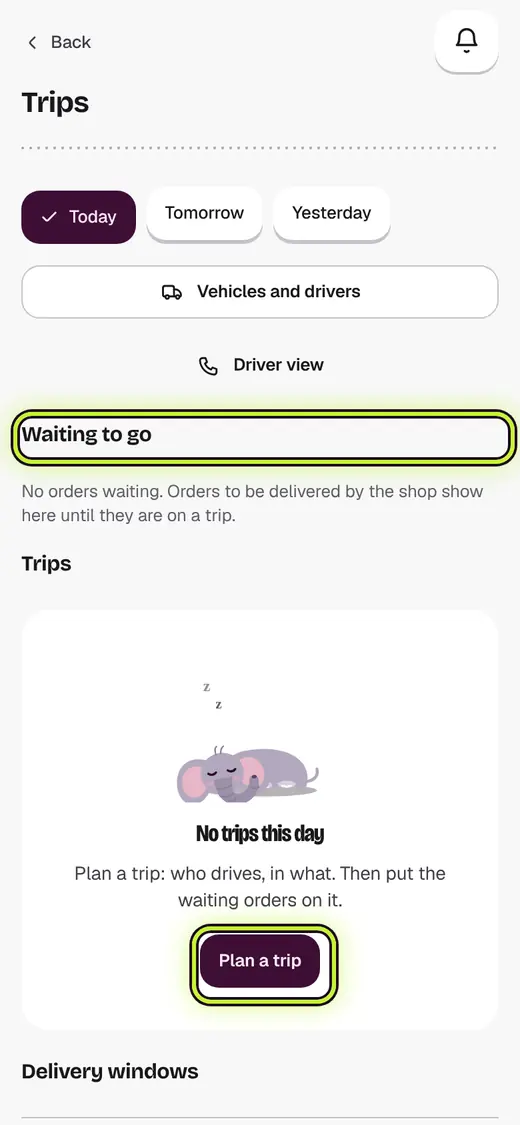
- Tap Trips and delivery windows.
- Tap Plan a trip. Pick Who is going and In what.
- Tap Plan it.
- Under Waiting to go, tick the orders.
- Pick the trip under Put on. Tap the button under it.
- Tap Show the stops, then Best order.
- Tap Send off.
If it stops you
Send off stays off while something needs fixing. The list under the trip says what.
Good to know
- When the driver is back, tap Settle up and type the cash handed in.
- An order that did not reach its door goes back to Waiting to go.
Next
Still stuck?
In the app, tap ? on the screen you are on and ask in your own words. Or email support@kowntx.com. A person replies in writing. Never send your PIN, code or card number.